
Workplace investigation records that remain clear under scrutiny.
A contested misconduct finding comes back a year later: who pulled that recording, was the process even-handed? HR evidence management keeps the case as one attributable object, every statement and material action on the record.
The investigation is fair; the audit trail is an inbox
Interview recordings on a handheld, witness emails scattered across Outlook and OneDrive, policy excerpts pasted into a Word doc. A year later the finding is contested as biased or retaliatory, and there's no attributable record of who handled what, or whether a file was edited after the fact.
HR investigation evidence management keeps inquiry records organized and attributable, so their handling history is easier to review. The investigation closes, the finding goes out, everyone moves on, then it comes back. An arbitrator, an agency, or the employee's lawyer asks the questions you didn't write down: who pulled that interview recording, when, was the process even-handed, and is it the same file you reviewed in week one? An inbox can't answer that. EMP keeps the case as one object: every statement, email, and recording in one place, with material actions on the record attributed to a person.
Where EMP fits in the workflow.
Your HR-investigation packet might include
- ✓ The complaint
- ✓ Statements
- ✓ Communications and access records
- ✓ Investigator notes
- ✓ The finding
- ✓ An attributable export
Harassment & misconduct complaint file
Interview recordings, complainant and respondent statements, witness emails, and policy references all land in one case file, and supported case actions are recorded with attribution. When the finding is challenged as biased later, you can show recorded handling steps and supporting evidence for a reviewer to assess the process.
Retaliation & fairness review
When an employee claims the process was retaliatory or one-sided, the append-only audit trail shows the order things actually happened and who did them, so a reviewer can assess the recorded sequence and supporting evidence rather than relying only on recollection.
Privacy & access control
Sensitive PII stays on your workstation under the access controls you run, and supported case actions are attributed to the acting user, so you can show a regulator or the employee how the case file was handled and limit access to the people who needed it.
Arbitration / agency response
When the matter reaches mediation, arbitration, or an EEOC-style response, create and retain an export when the finding is finalized. Include selected originals and reports, enable Manifest for file checksums, and verify the resulting package before sharing.
Pre-litigation hand-off
Hand selected files and reports to counsel. Enable Manifest for checksums; Standard and Professional can include Audit Timeline. Counsel recomputes the hashes with stock tools. If one byte moved, it shows. No EMP install required.
How an internal HR investigation moves through EMP
- Open the case and pull the record out of the inbox. The interview recording off the handheld, the witness emails, the respondent's statement, and the policy excerpts import into one case. Each is hashed (SHA-256) at intake, so a year later you can show the recording is the same file you reviewed in week one.
- Build the case attributably around the people involved. Tag complainant, respondent, and witnesses, link each statement and document to the person it concerns, and use the recorded case activity to support review of how the case was handled.
- Reconstruct the events on a timeline. Place the dated communications and statements in sequence so the chronology behind the finding is laid out for review.
- Generate the Export Package for counsel. One ZIP with selected originals and reports. Enable Manifest for file checksums and the verifier; Standard and Professional can also include Audit Timeline and supported audit data.
- An arbitrator or the employee's counsel verifies it without trusting EMP. They recompute the hashes with sha256sum or the /verify tool; they can check the retained export's files and included handling history, and the audit record shows how the case was handled. If a byte moved, it shows. No EMP install required.
Feature availability: Standard adds Chain of Custody, Audit Timeline and Incident Maps. Timeline Recon, Link Analysis and custom report branding require Professional. Core includes case management, file intake and exports.
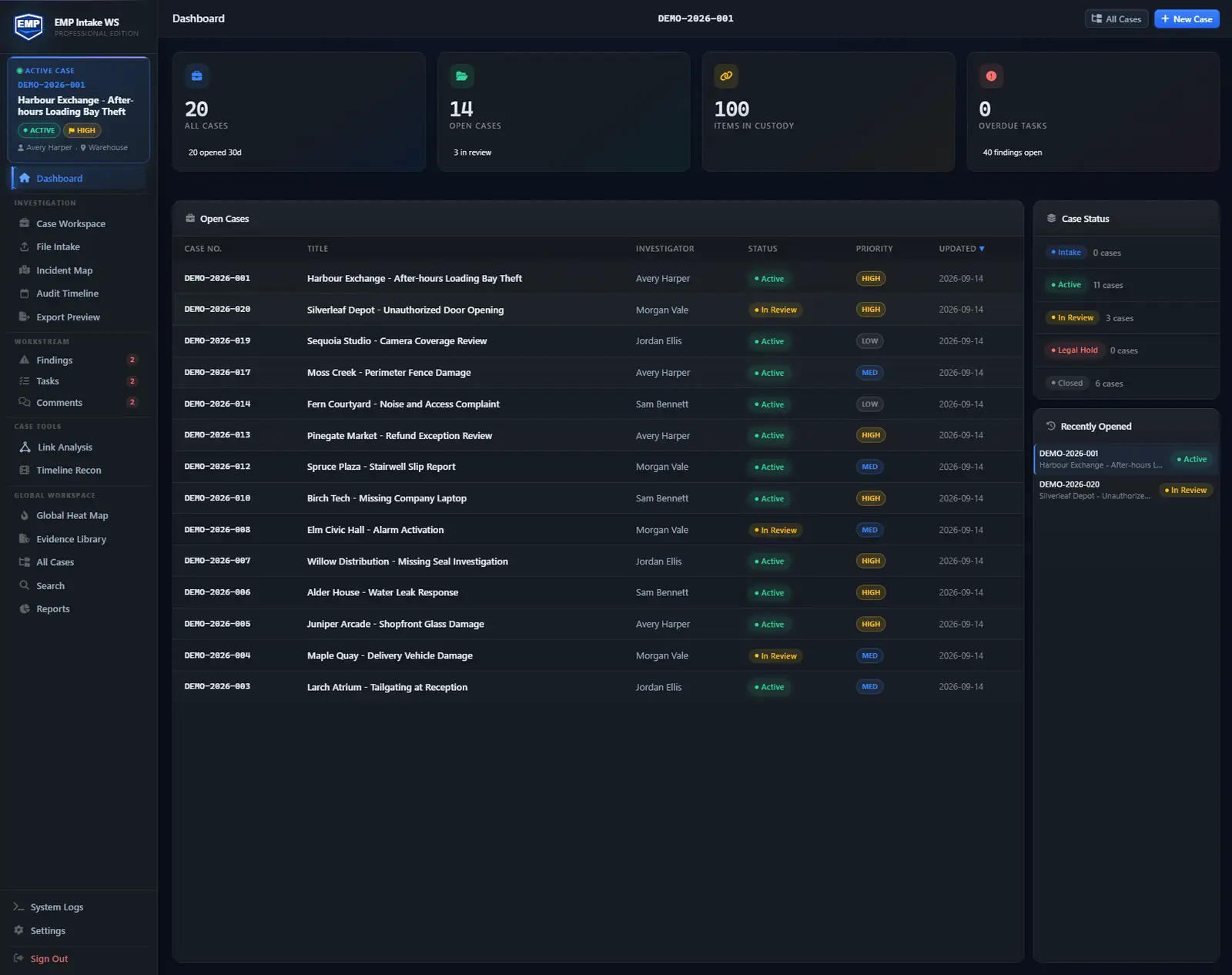
Case workspace example
Workplace misconduct file. Track the complainant, the respondent, witnesses, documents, meeting notes, locations, tasks, and findings. Keep the process and its supporting records available for review, then export a verifiable handoff for counsel.
Ingests your exports. Doesn't replace your tools.
EMP organizes files exported from your HRIS, email and document systems. Import interview recordings, correspondence, policy documents and HR records, with source details and handling history alongside the case.
- Email exports (Outlook / M365: PST, MSG, EML) imported with hash on intake
- OneDrive / SharePoint files via manual file ingest
- Interview-recording formats (MP3, WAV, M4A) imported with SHA-256 at intake
- Policy documents (PDF, Word) imported as case evidence
- Export packages of preserved originals your outside counsel can bring into eDiscovery
Questions these teams ask first.
How is sensitive PII handled?
Case data stays on your workstation in a local SQLite database. EMP doesn't transmit it anywhere; you control the deployment, the access, and the disposition. Because nothing is held by a SaaS vendor, the data stays inside the controls you already run, and material actions on the case are attributed to a person.
Does it integrate with our HRIS (Workday, ADP, SuccessFactors)?
Not directly. HRIS data comes in via manual file ingest (CSV exports, PDF letters, screenshots), each hashed at intake so the proof travels with the file from the moment it enters the case.
Can I show the finding and the fairness of the process together?
EMP can produce a case report with findings and supporting evidence. Standard and Professional also provide Audit Timeline reports for reviewing recorded actions. Include the reports needed for the handoff. These records can help a reviewer assess the process; an audit trail does not establish fairness by itself.
Is this single-investigator or multi-user?
EMP Intake Workstation runs on one Windows PC, and several people can share that single workstation on one license. For HR teams that need shared cases and role scoping across business partners, EMP Intake Teams has a pilot planned for 2027: it moves that same record-keeping onto a PostgreSQL database you host and run yourself.
Is an investigation handled this way admissible?
No software guarantees admissibility; that judgment belongs to the court or arbitrator. What EMP gives you is the attributable trail to argue it: hashed originals, preserved source files, a continuous audit log, and a manifest the opposing side can verify independently.
Build the case anyone can verify.
EMP Intake Workstation comes with a 14-day trial, no card and no sales call, so bring a real case and watch it stay defensible.