
Every screen.
One case file.
EMP Intake Workstation gives every investigation one local workspace: evidence, people, vehicles, places, assets, notes, tasks, findings, maps, timelines, link analysis, audit log, and export package. Integrity checks run underneath the workflow instead of becoming another manual step.
Illustrative demo. AI-generated footage, simulated logs and routes. Map data © OpenStreetMap contributors.
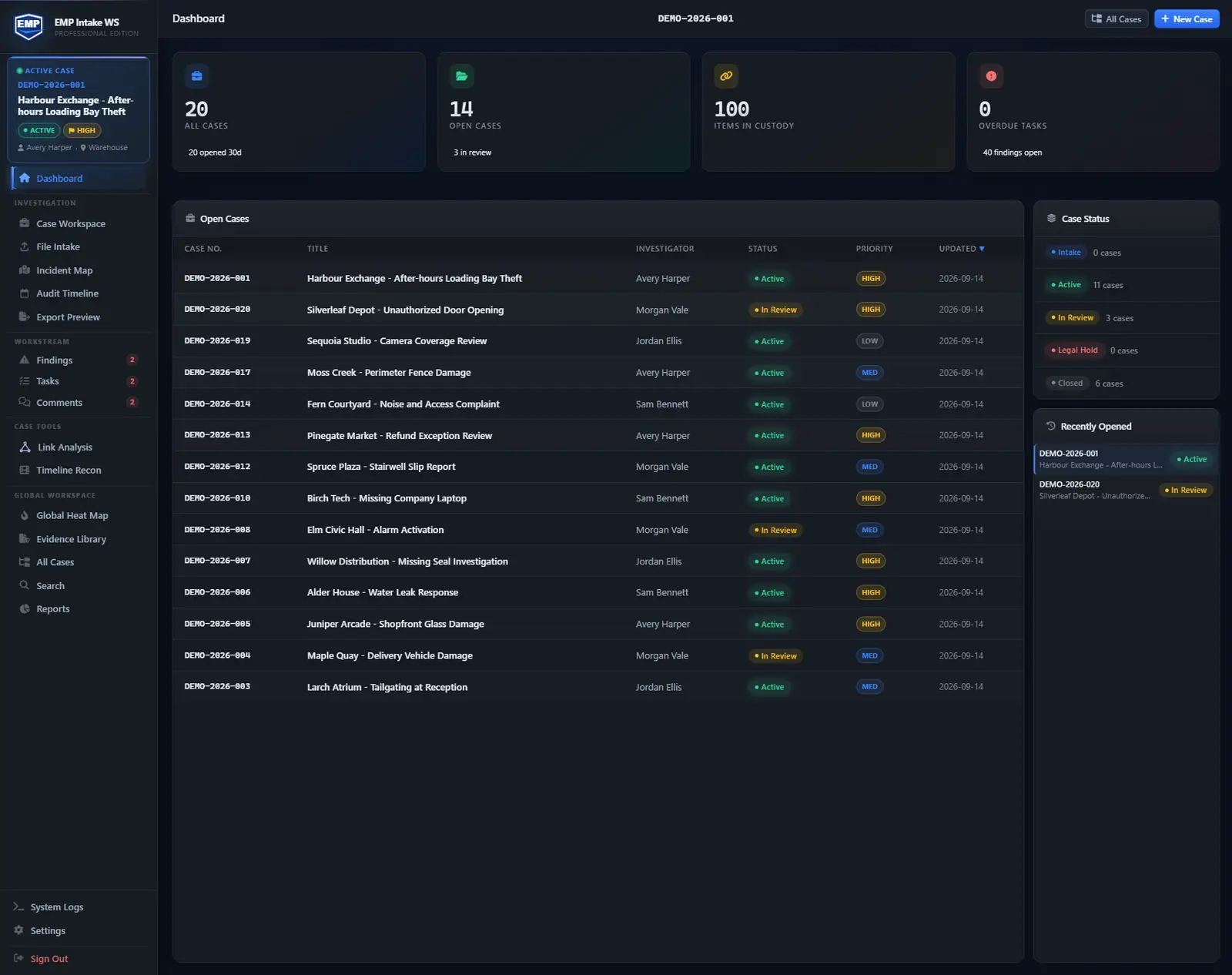
One screen for every open case, recent intake, and where integrity stands.
What you can do here: open the dashboard and triage at a glance. See what is open, what just came in. The steps below follow one case from intake to hand-off.
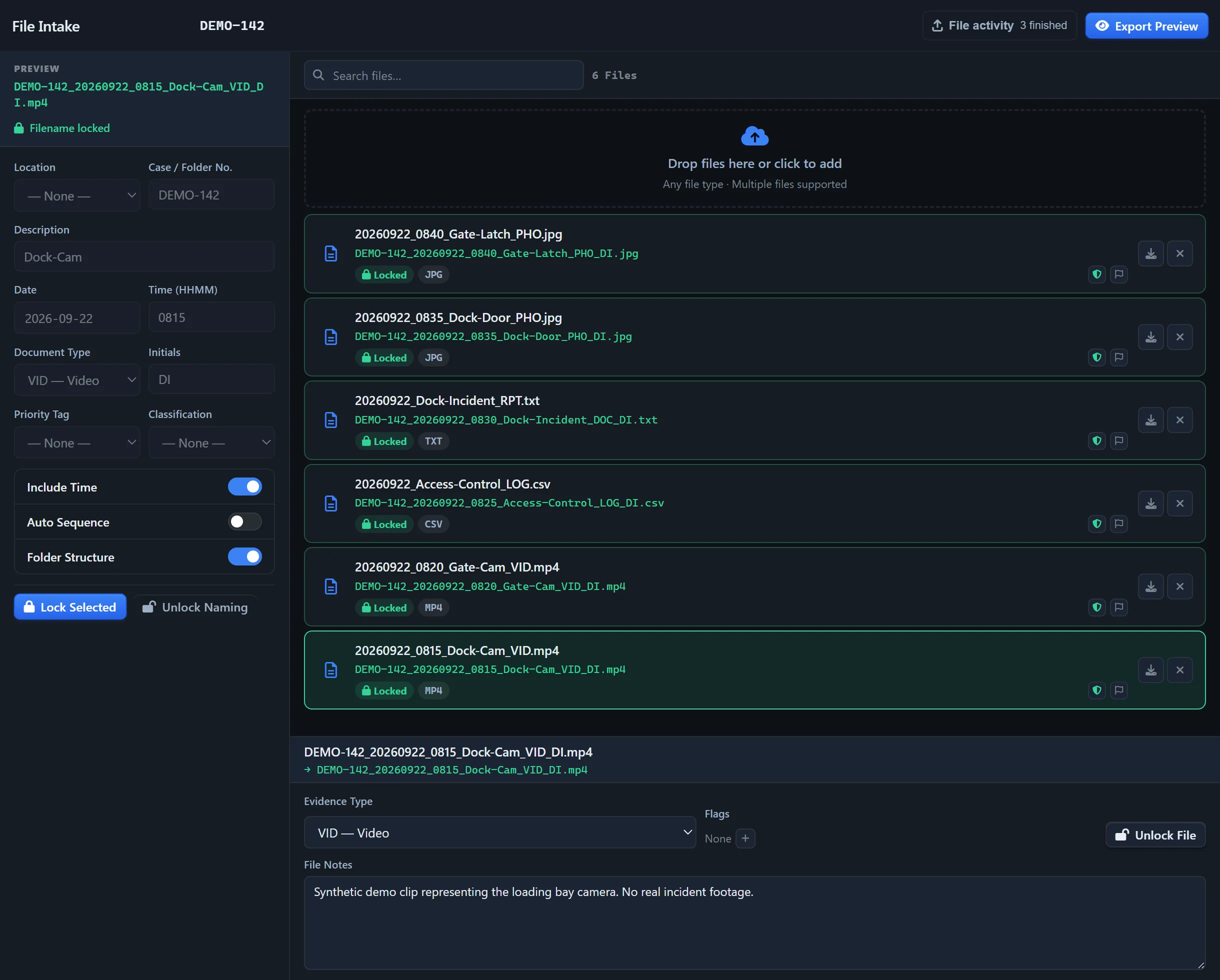
Drop files into a case. Preserved originals stay untouched.
What you can do here: import files, set file flags and file notes, and configure file names with EMP File Intake so they follow one naming standard.
The integrity model →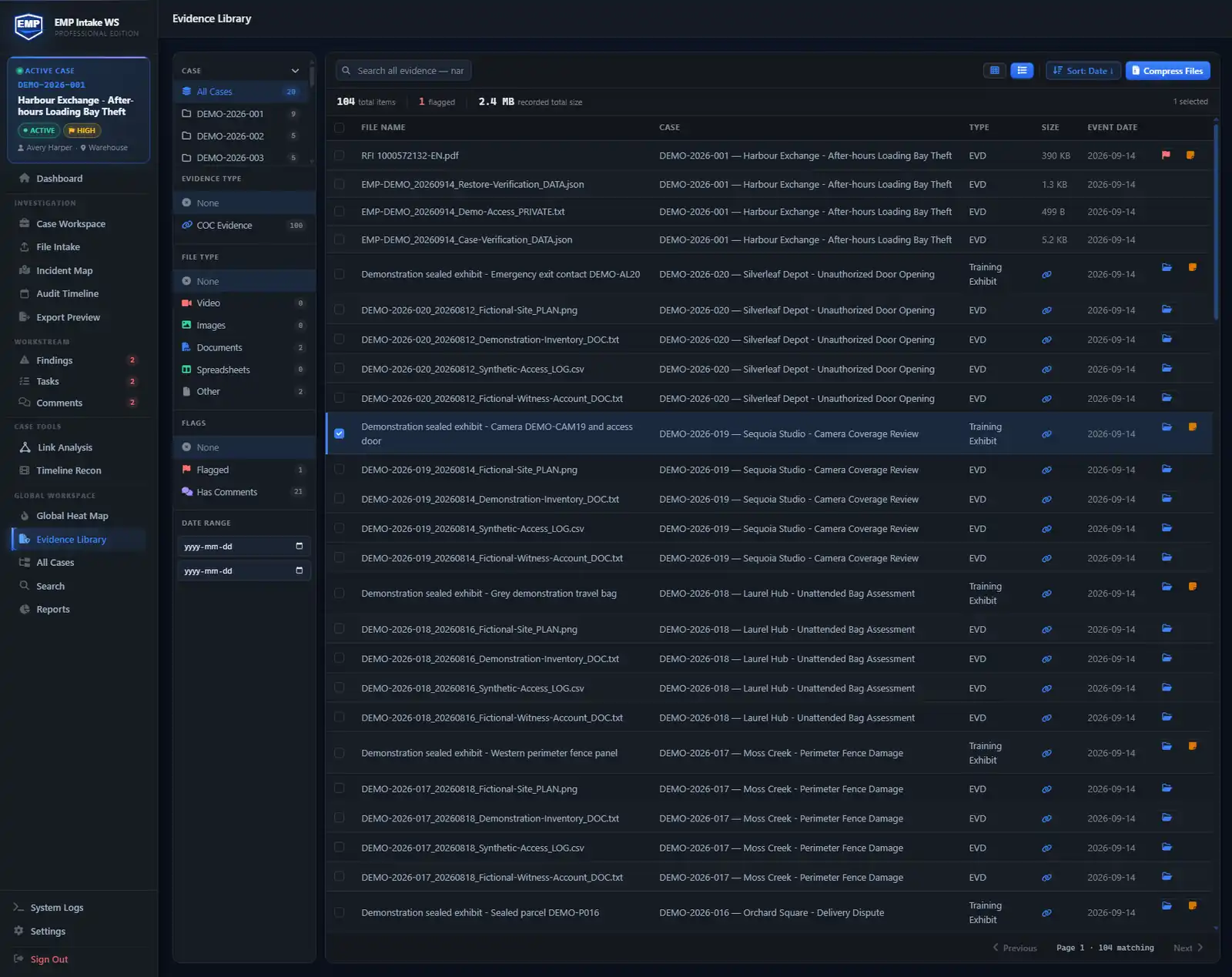
Every item on the record, from intake to hand-off.
What you can do here: keep every file and physical item in one register, with its type, size, and the date it entered the case. Transfers and handling are recorded as custody events, and the SHA-256 taken at intake is rechecked as items export.
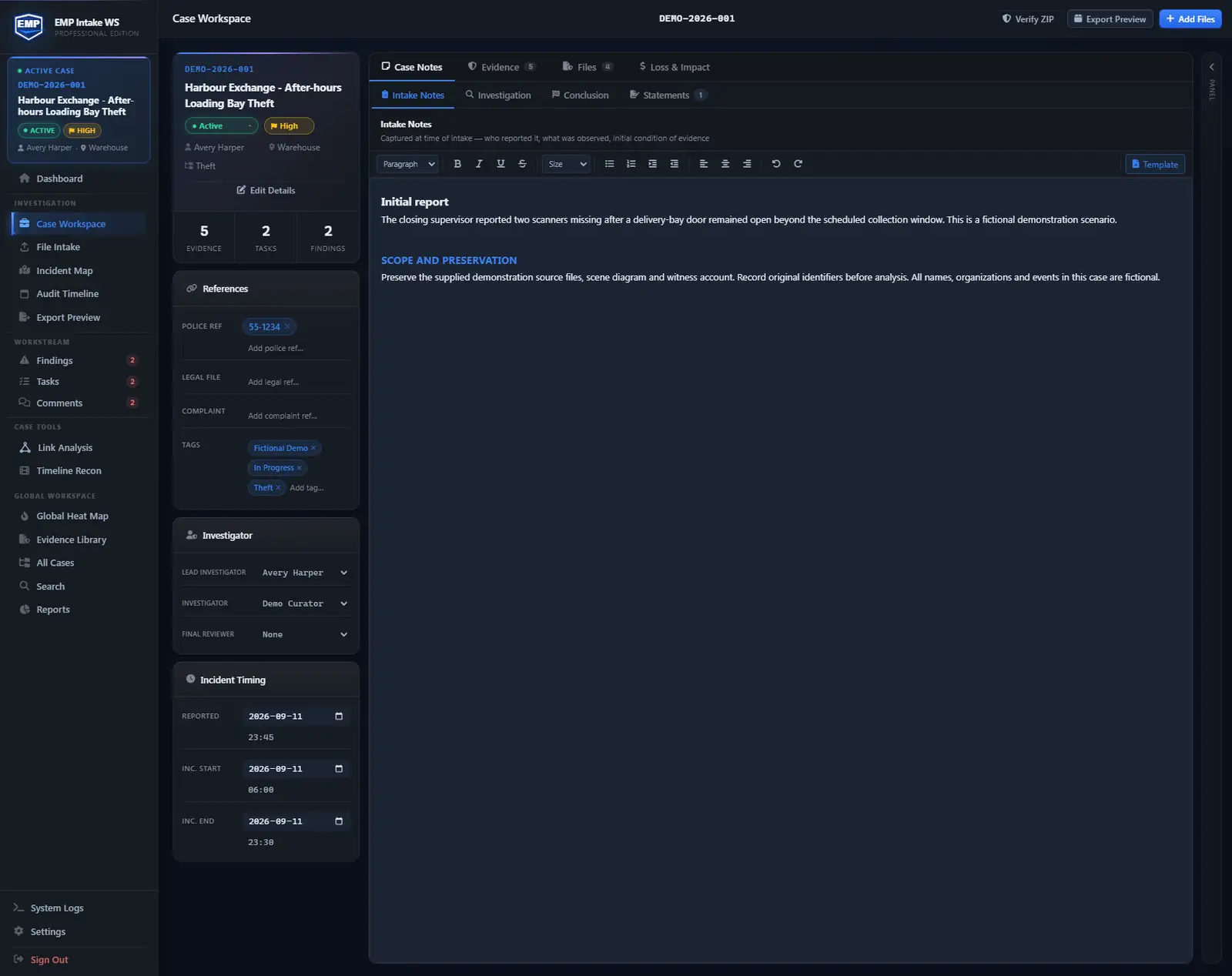
One structured case workspace, not a folder plus three spreadsheets.
What you can do here: keep the investigation organized around structured case objects: evidence, people, vehicles, places, assets, loss and impact, comments, tasks, findings, and file notes. Those objects feed the timeline, maps, graph, report, and export package.
The case workspace, in depth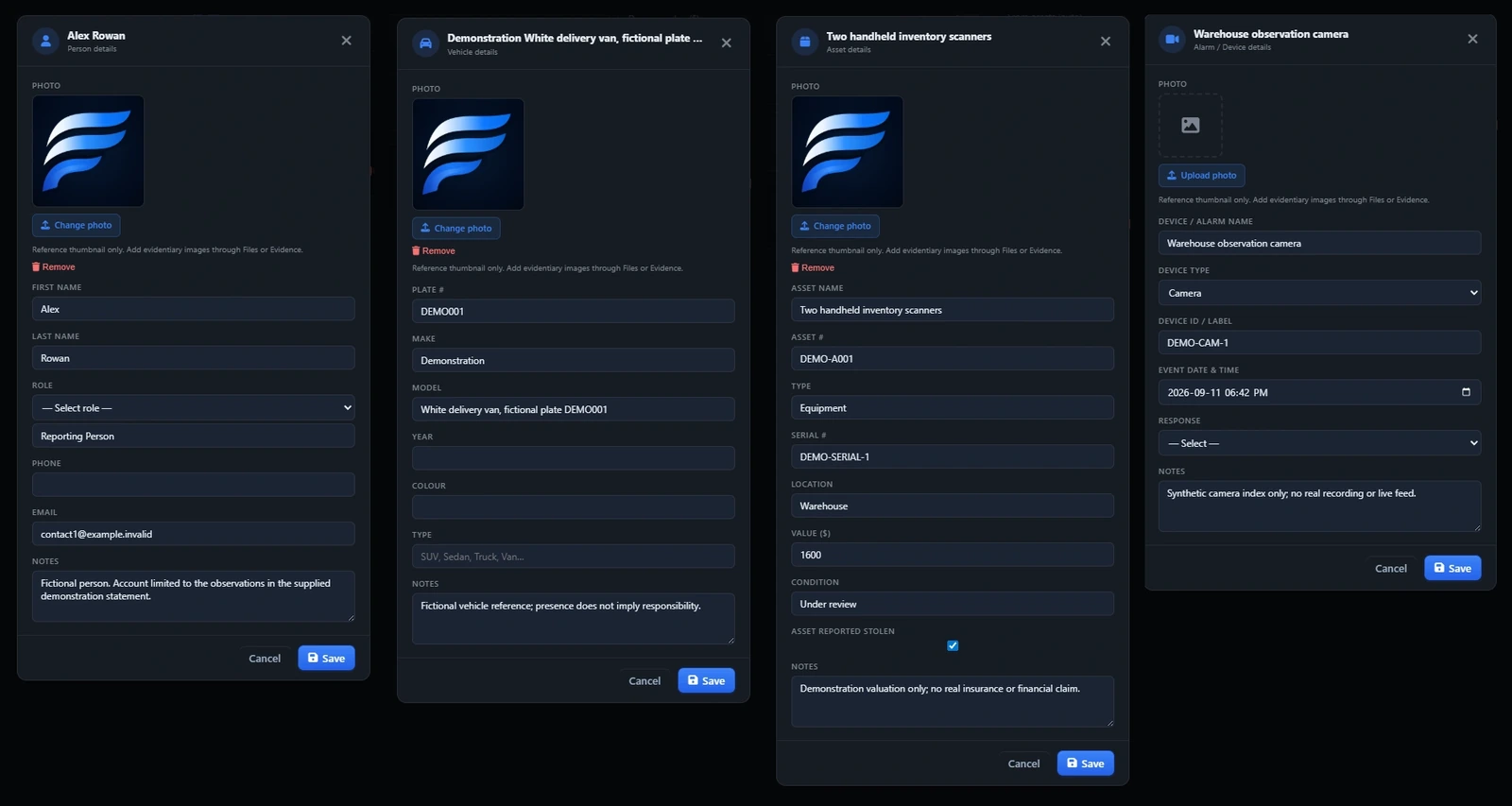
Add a person, vehicle, asset, or place once. Reuse it everywhere.
What you can do here: add a person, vehicle, asset, or place once, then link it to the evidence that supports it. Reuse it across the case without retyping names, plates, rooms, or device labels.
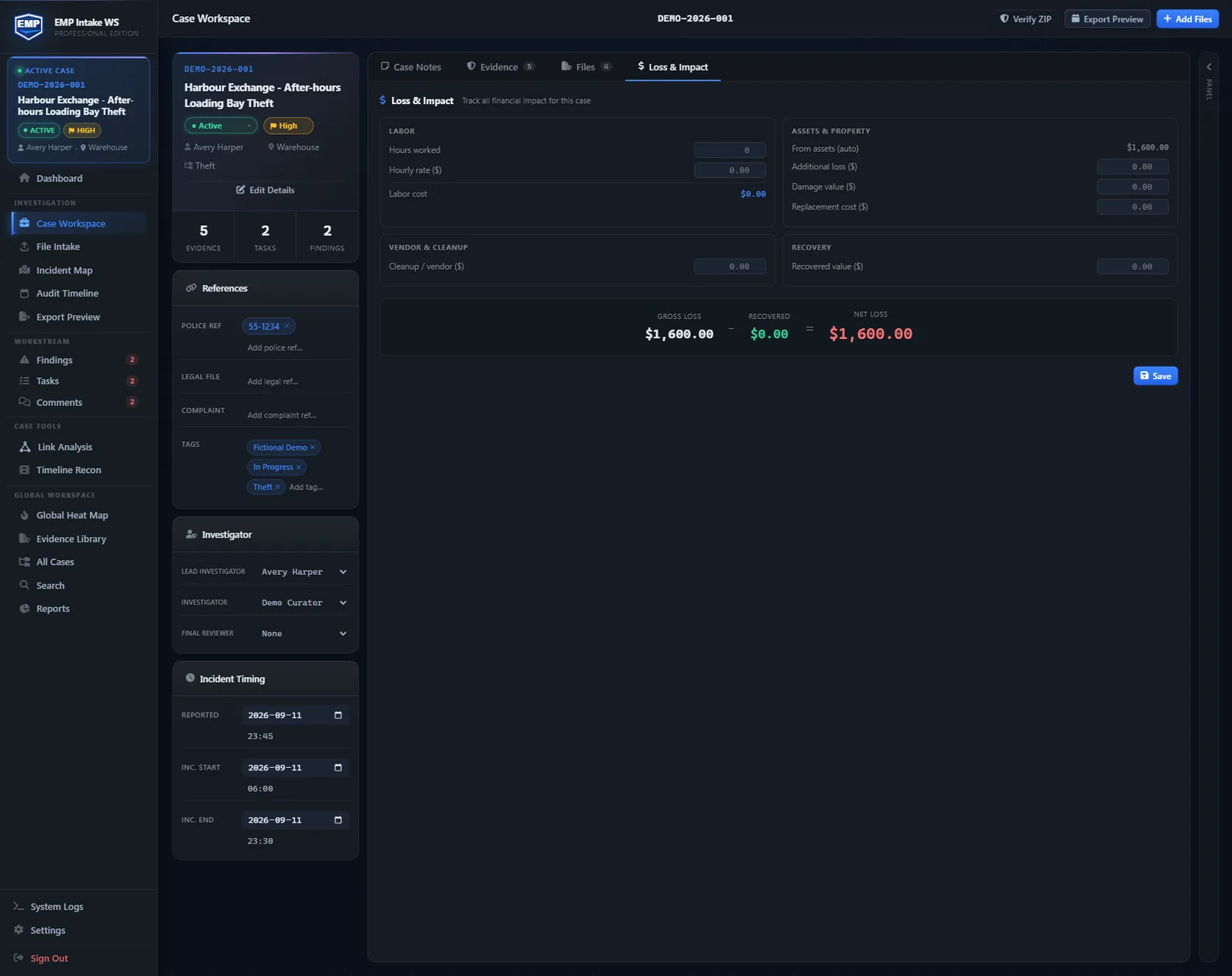
Record what was lost or damaged, and roll it up across the case.
What you can do here: record what was lost or damaged on each item, then roll those figures up across the whole case so the total impact is one number you can stand behind.
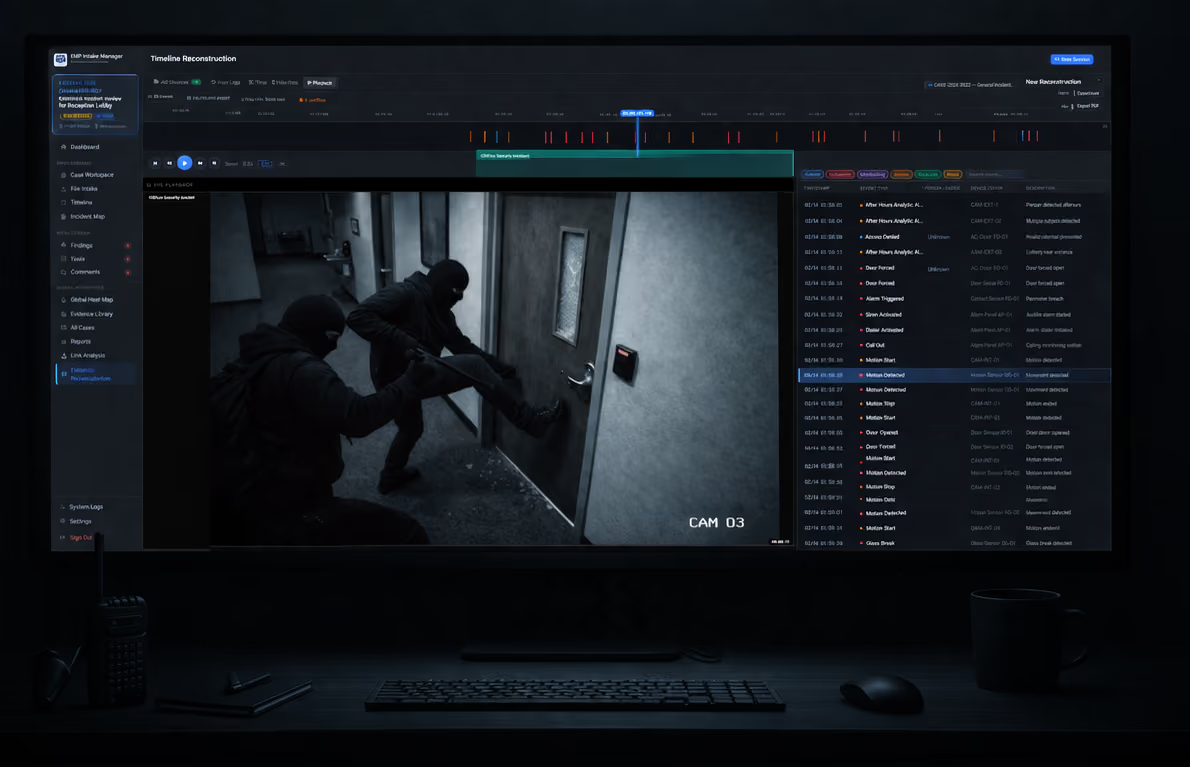
Camera video, access logs, POS data, maps, aligned on one clock.
What you can do here: Add multiple logs from access, intrusion, POS, and motion. Fix time drift between systems and align the combined log files to the video. Add a locked map clip and play it back alongside video and scrolling imported logs on a single timeline.
Timeline reconstruction →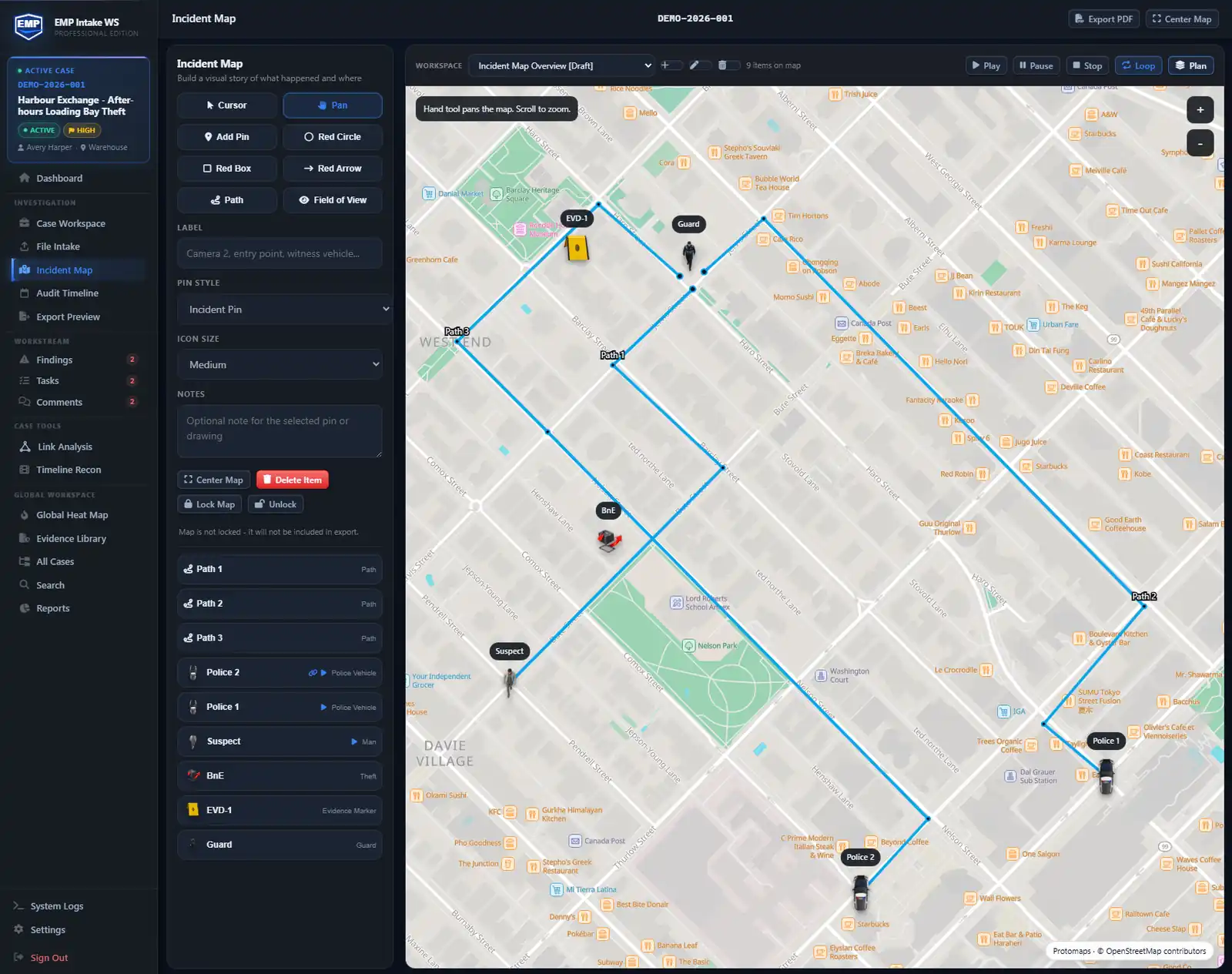
Pin the evidence, mark the scene, plot the route.
What you can do here: pin places, scenes, and evidence locations on a street level map you draw on, and play back a connected person or vehicle moving along a path you draw. Animated paths are illustrative: you draw the route and choose a pace. A locked map can be brought into timeline reconstruction as a retained clip. Maps also support linking evidence to pins, with building-plan import and calibration on Professional.
Incident maps →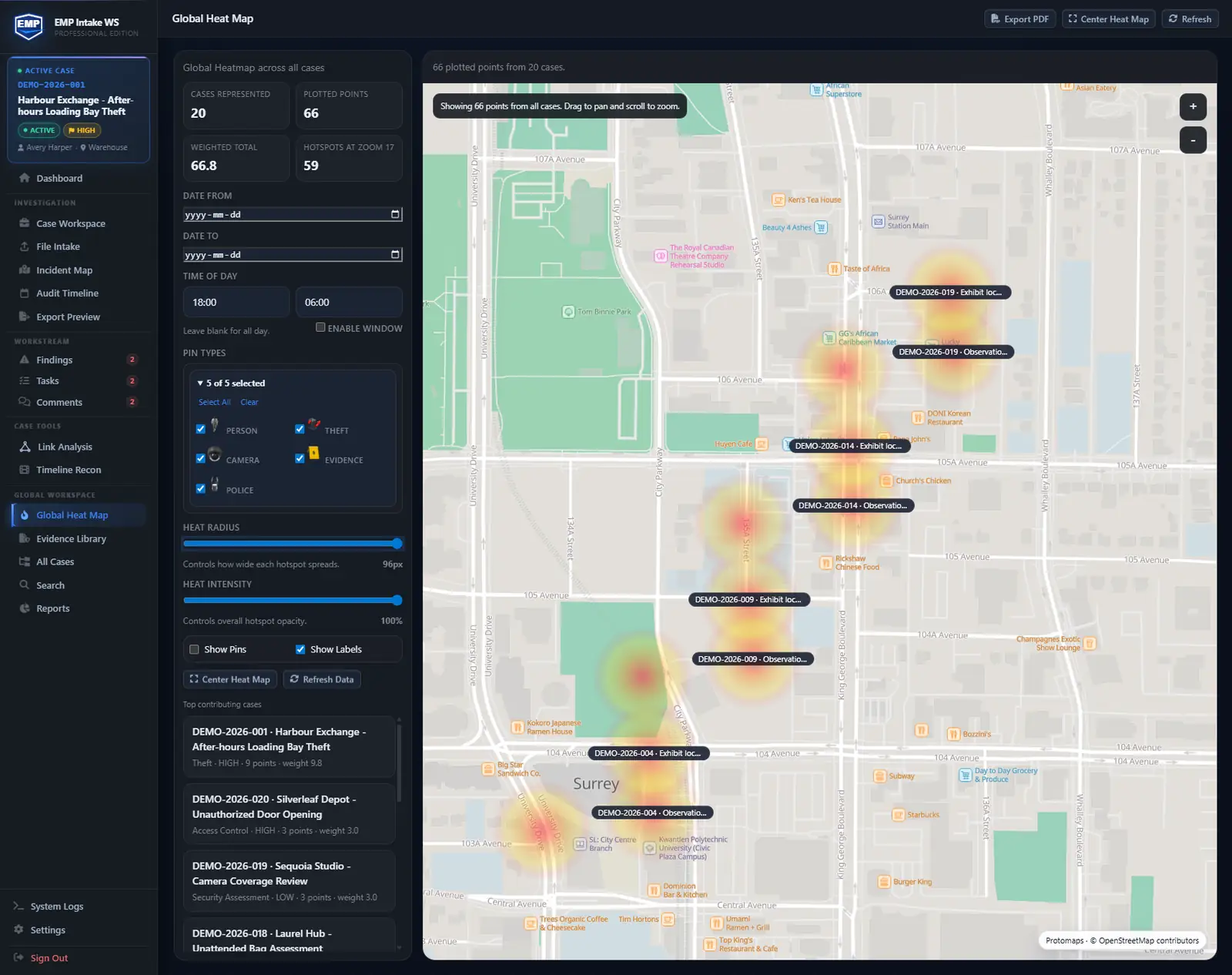
See where incidents and activity concentrate.
What you can do here: see the concentration of incidents or activity across locations, so the hotspots stand out instead of hiding in a list.
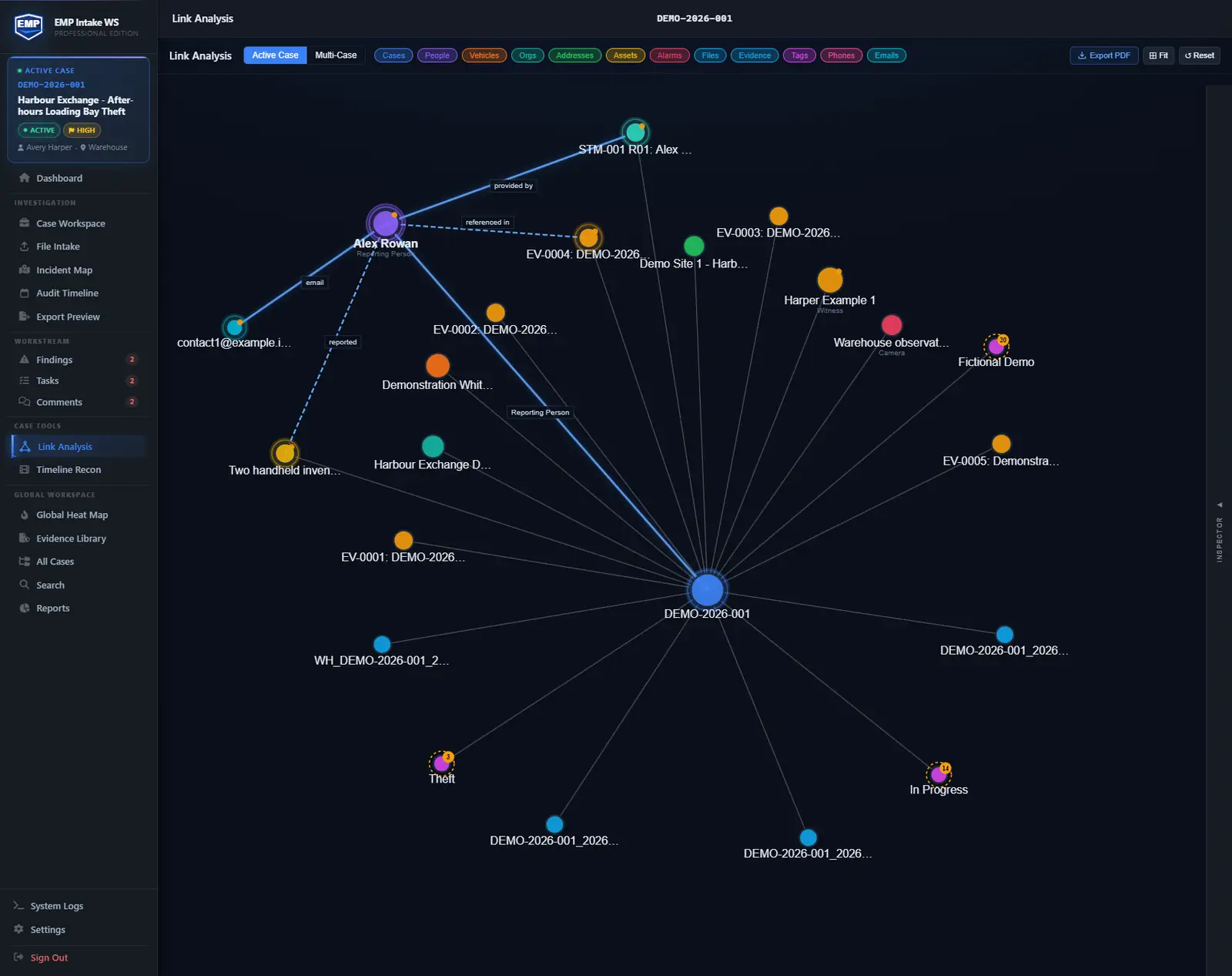
See how people, vehicles, places, and assets connect.
What you can do here: trace the relationships inside the case. Links form as you work, so the connections between people, vehicles, places, and assets are there when you need them. You can also expand nodes to see links between cases.
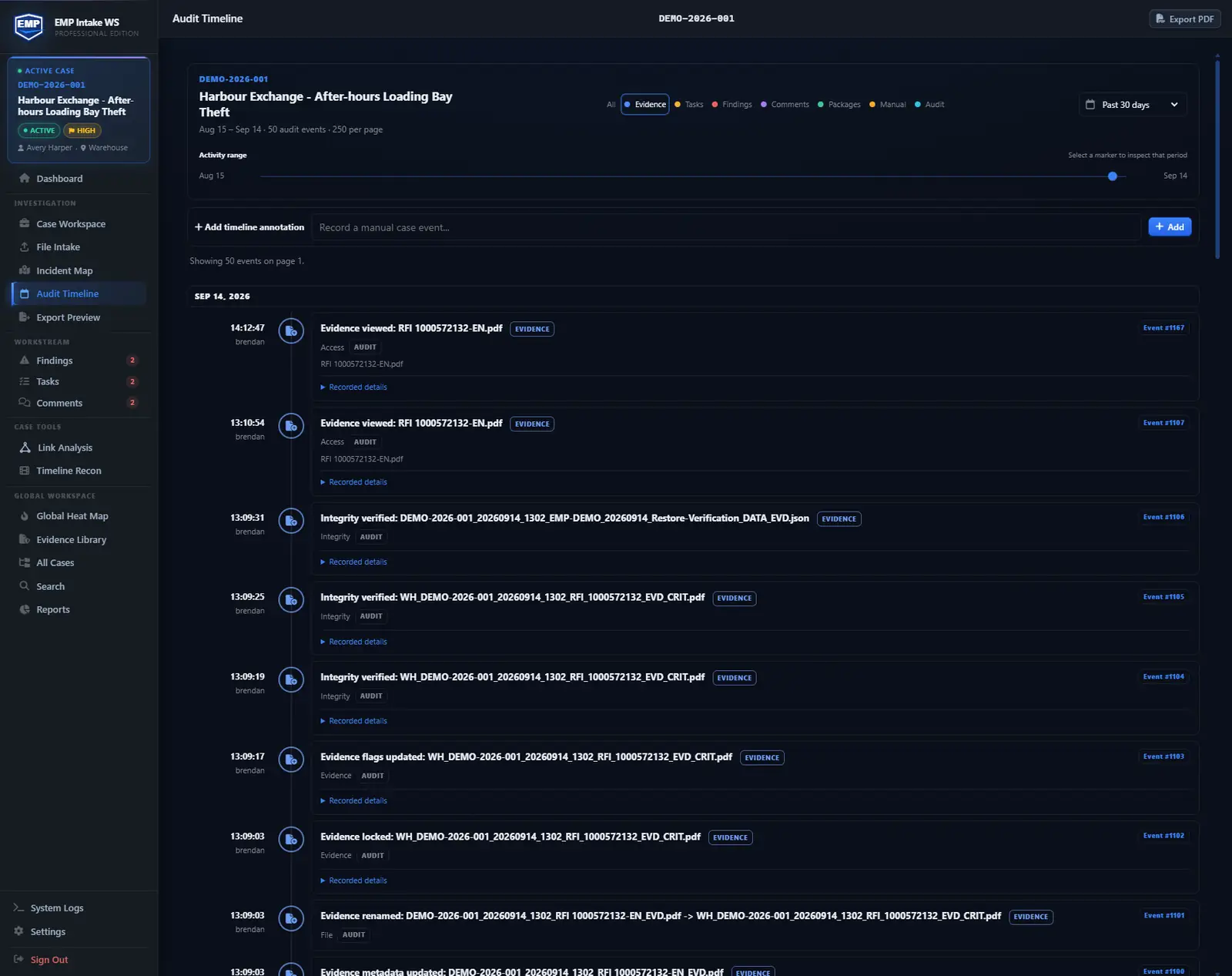
Key actions logged as you work, with who and when.
What you can do here: rely on a continuous record of case actions, with who did it and when. The log is part of the case, appended as you work, not bolted on at export.
The integrity model →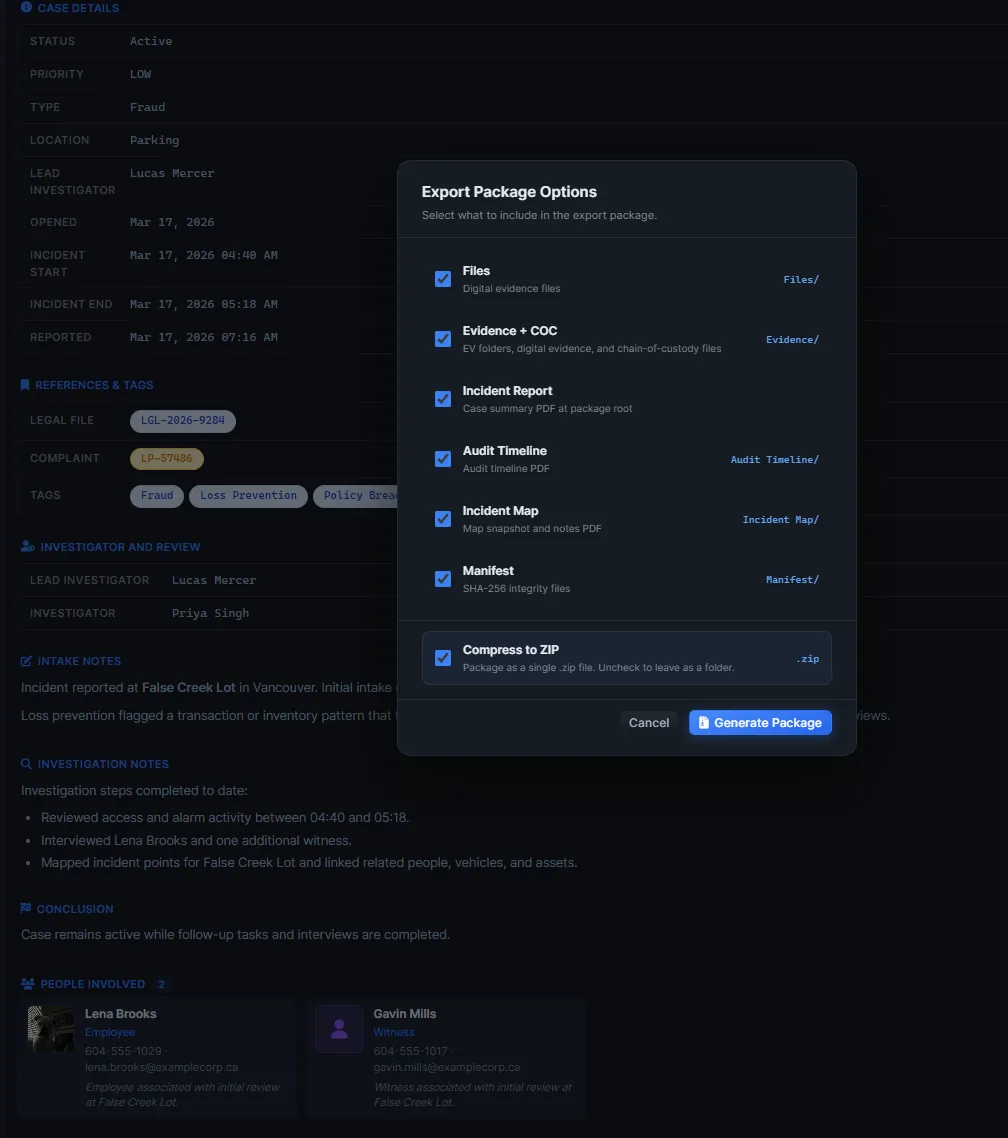
One click: a verifier-ready export package the next reviewer can check without EMP.
What you can do here: hand off a verifiable package with the originals, the audit log, and a manifest of every hash. Counsel recomputes the hashes with our included tools or through stock tools; a mismatch flags the changed file.
Export packages →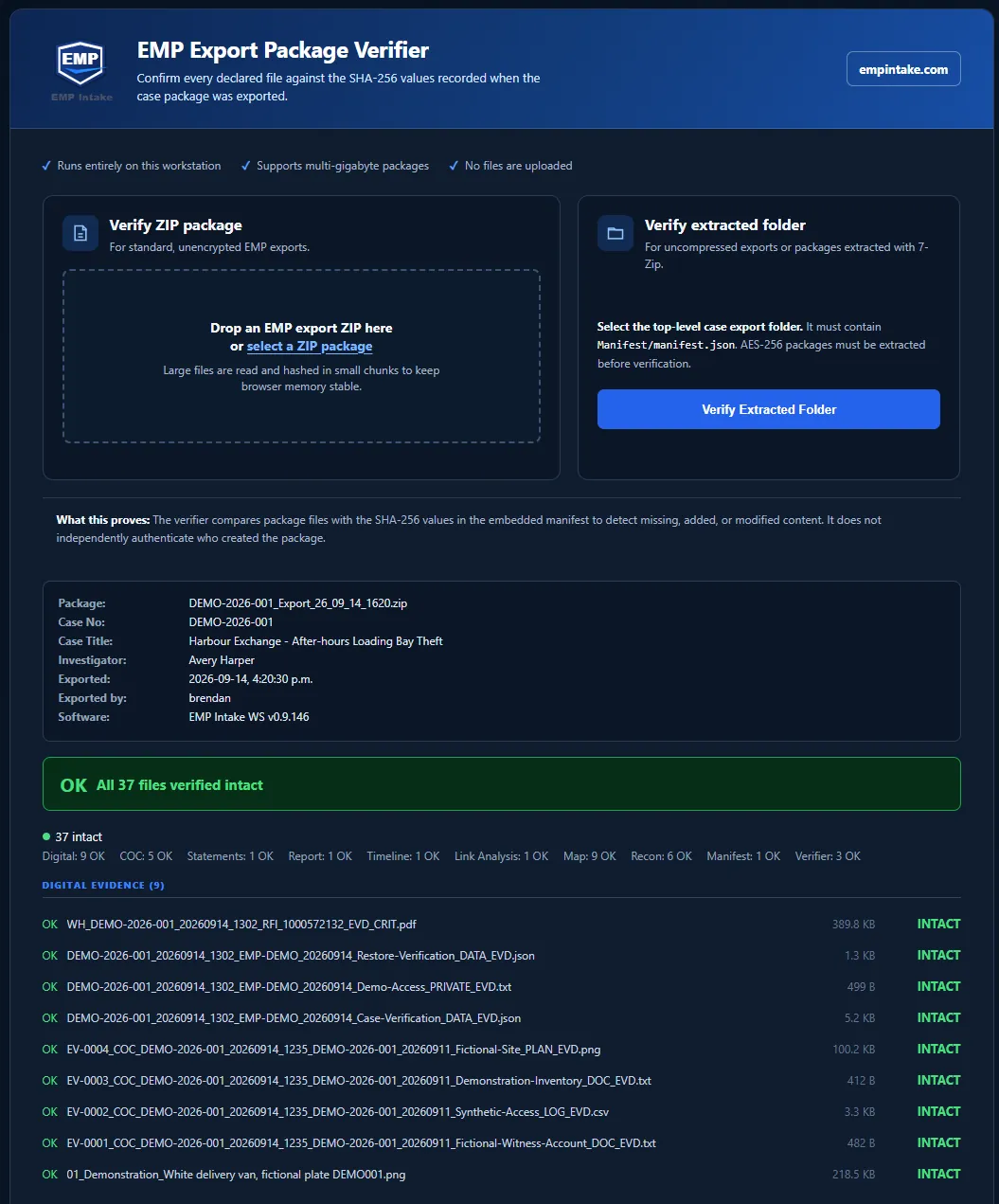
The recipient checks the package without installing EMP.
What you can do here: hand the package to counsel or a reviewer who recomputes every hash with our included tool or checks it online. No EMP install required, and the court decides admissibility.
Try the export verifier →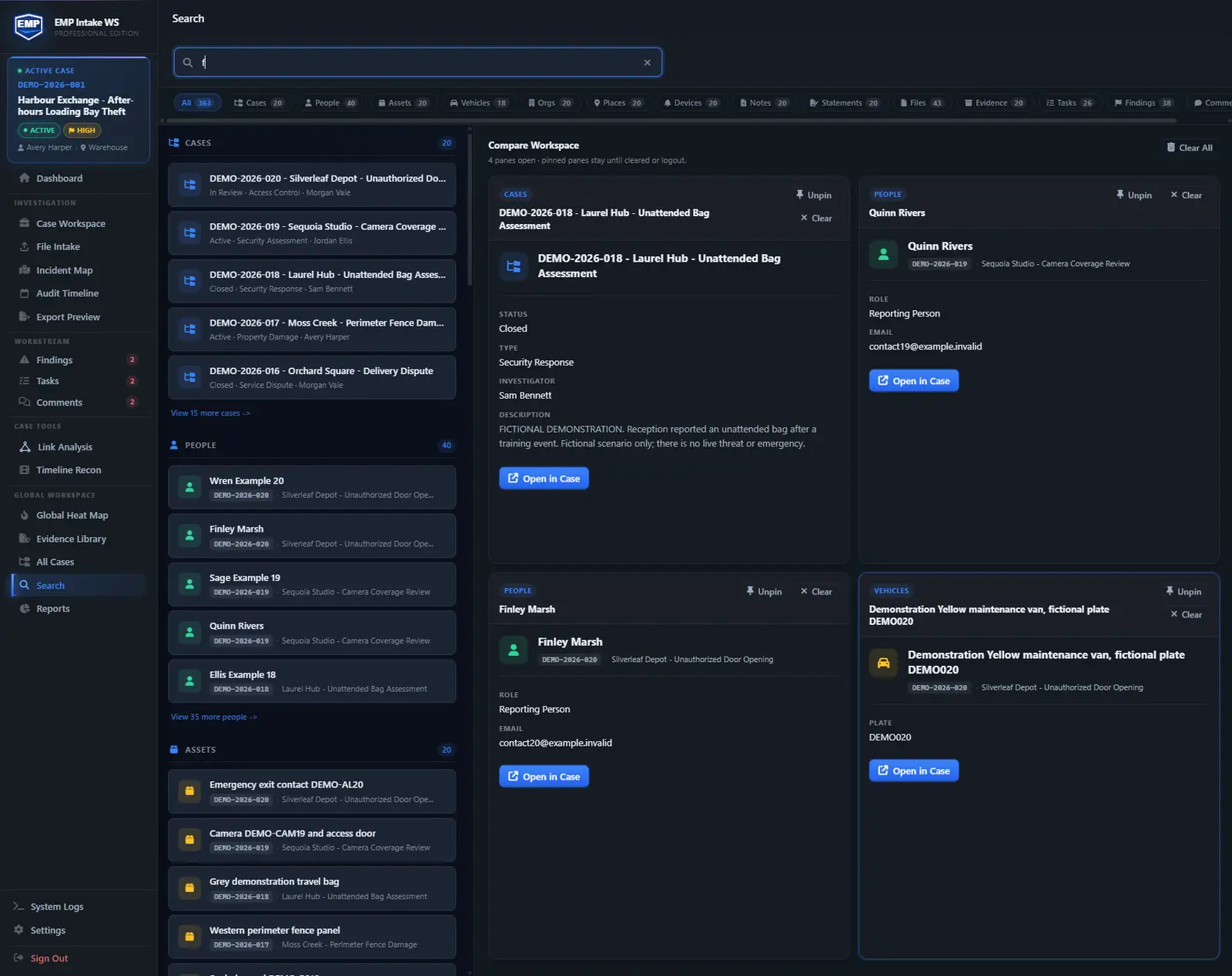
Find any object by type, source, or date.
What you can do here: filter the whole case across files, people, vehicles, and places. Pin up to 4 objects to compare them side by side. This runs throughout the workflow, not at a single step.
Run a case through it. Hand off proof.
EMP Intake Workstation ships today with a 14-day trial, no card, no sales call. Run your evidence through it and hand off a package counsel can check without our software.
EMP Intake Workstation is in active development. “Tamper-evident” means changes are detectable, not impossible; admissibility is the court’s decision. The EMP Intake Teams pilot is planned for 2027.