
Case files whose handling can be explained and independently checked.
Turn a client's pile of sixty attachments into a deposition ready exhibit set. Paralegal evidence management holds the record steady on a defensible chain of custody, so the version you produce is the version you received.
Preserve the original and keep its handling explainable
The client emails sixty attachments: scanned PDFs, forwarded emails, phone screenshots. They land in a folder. Someone renames them to make sense of the pile. Three months later the exhibits come out in inconsistent order, and opposing counsel notices.
Paralegal evidence management turns a client's pile of attachments into an organized, deposition-ready exhibit set that holds up when opposing counsel cross-examines it. Most small practices live somewhere between a shared folder and an enterprise eDiscovery platform, and that gap is where evidence quietly drifts: a file gets opened to check something, saved again, and the version you produce is no longer the version you received. EMP sits in that gap, holding the record steady on a defensible chain of custody from intake to the moment you hand an exhibit to counsel, or to the other side.
Where EMP fits in the workflow.
Your litigation packet might include
- ✓ The client file dump
- ✓ Exhibit source files
- ✓ Productions
- ✓ The exhibit list
- ✓ The deposition export
Litigation exhibit & matter intake
Client supplied evidence, opposing-party discovery, and subpoena returns all land in one matter as source files with recorded identifiers. EMP logs where each item came from and when it arrived, so the deposition defensible chain of custody starts at receipt instead of being reconstructed later.
Deposition exhibit prep
Pull a clean exhibit set straight from the case database: organized file identifiers, checkable hashes, and a manifest the witness can point to without anyone arguing about which file is which.
Discovery production
Keep each production version as its own hashed export package, so a later challenge can confirm what went out matches what was produced. The audit log records the timing too, so the proof travels with the file.
Family law, estate & probate disputes
Sensitive, multi-party matters where who-touched-the-document-when is the case. Client communications, financial records, and witness statements import as case evidence, hashed and preserved at intake, with an export any party can check on their own.
How a paralegal-practice case moves through EMP
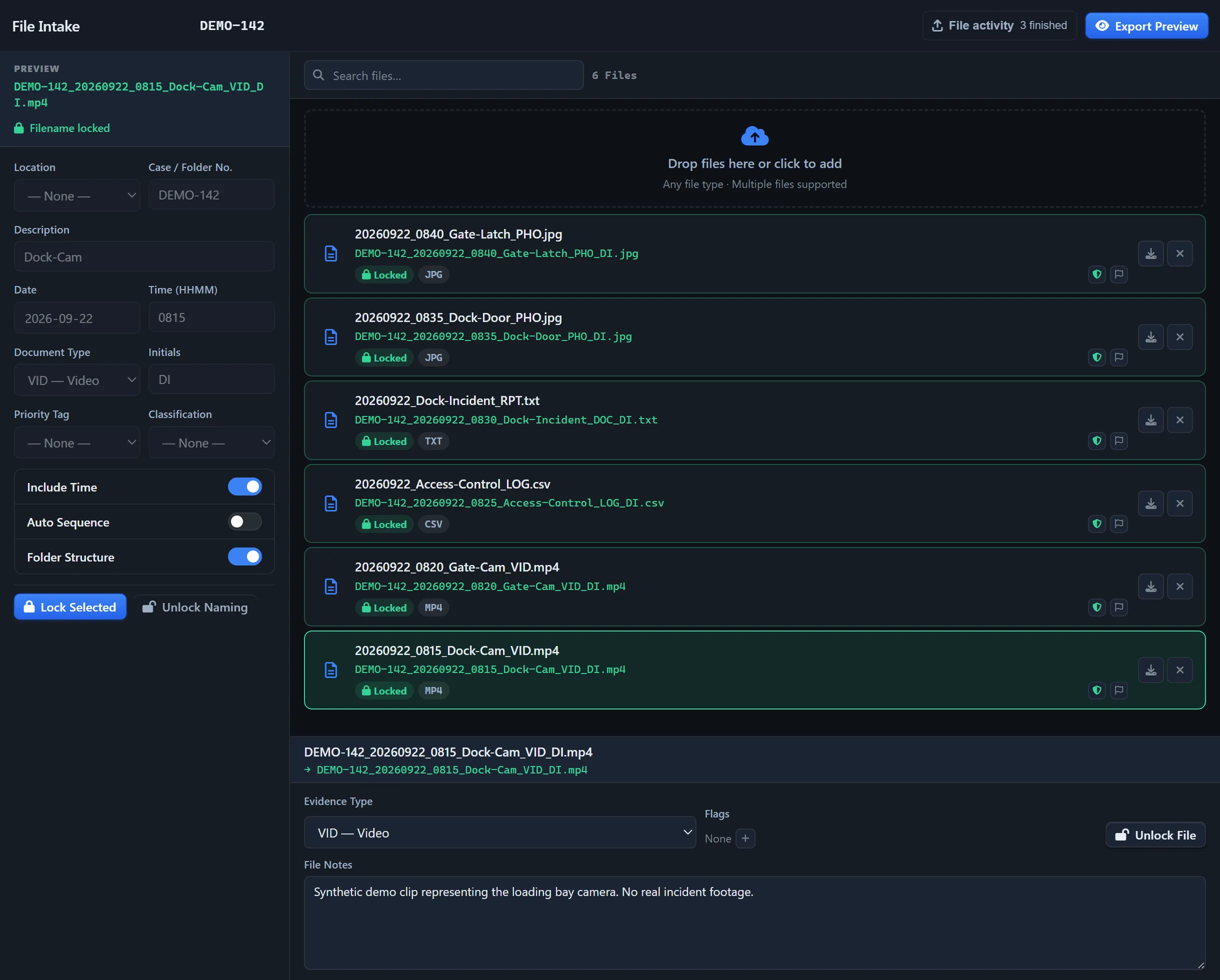
- Intake the sixty client attachments into one matter. The scanned PDFs, forwarded emails, and phone screenshots import as source files with recorded identifiers. Each is hashed (SHA-256) at receipt, so the original is preserved and renaming or re-saving a working copy can never touch it.
- Build the matter around exhibits and parties. Tag each exhibit to the witness, the claim, or the production it belongs to, with source details and case identifiers retained.
- Reconstruct the sequence on a timeline. Place dated communications and documents on one timeline so the chronology you'll question a witness on is laid out, not assembled from memory.
- Produce a hashed Export Package per production version. Each production is a separate ZIP with selected originals and reports. Enable Manifest for file checksums and the verifier; Standard and Professional can also include Audit Timeline and supported audit data. Check the receiving review platform's import requirements.
- Opposing counsel verifies the exhibits independently. In a deposition they recompute the hashes with sha256sum or the /verify tool; what you produced matches what you received, byte-for-byte. No software guarantees admissibility. Preserved files, recorded handling and matching checksums support custody review; they do not prevent a challenge or fill gaps before intake. No EMP install on their end.
Feature availability: Standard adds Chain of Custody, Audit Timeline and Incident Maps. Timeline Recon, Link Analysis and custom report branding require Professional. Core includes case management, file intake and exports.
Case workspace example
Deposition prep file. Track the client file, the parties, exhibits as assets, places, documents, file notes, tasks, and deposition findings as case objects, each linked to the source it came from. Build the timeline so the exhibits line up with the testimony in order. Close with a organized, verifiable deposition export that the other side can confirm on their own machine.
Ingests your exports. Doesn't replace your tools.
EMP sits alongside practice-management and discovery tools. Import matter records, email files, scanned documents and client media, then hand off selected originals with their checksums.
- Practice-management exports (CSV from your case/matter system) get a hash on arrival, so a later copy can be checked against it
- Email exports (Outlook / M365 - PST, MSG, EML) fingerprinted on the way in
- Scanned documents and PDFs imported with SHA-256 at intake
- Export packages (preserved bit-for-bit originals plus a hashed manifest) ready to bring into common eDiscovery platforms
- Client-supplied media (photos, recordings) imported as case evidence
Questions these teams ask first.
Does this replace Relativity or Logikcull?
No. Those are eDiscovery review platforms for large productions. EMP Intake WS is the case management and intake layer for smaller matters and for prep before review. When a matter scales up, EMP exports cleanly. The export package gives you preserved originals with checkable hashes, ready to feed into a common eDiscovery platform's intake.
What does EMP Intake Workstation cost for a solo paralegal?
EMP Intake WS is licensed per workstation: Core at $29/month ($290/year), Standard at $49/month ($490/year), and Professional at $99/month ($990/year). Each license covers one activation. Core includes case management, file intake and exports. Standard adds Chain of Custody, Audit Timeline and Incident Maps; Professional adds Timeline Recon, Link Analysis and report branding.
Does EMP Bates-label documents?
No. That's your discovery tool's job. EMP gives you clean source files with checkable fingerprints to feed into your Bates pipeline, so the custody record is intact before labelling starts.
Does my evidence leave my workstation?
No. EMP Intake Workstation runs on your Windows desktop, and case data stays there in a SQLite database. Nothing uploaded, no telemetry of file contents. Only three kinds of network call ever leave, and none carry case data: a licensing check on activation and validation, an optional update check, and optional map-resource requests when map views, Timeline Recon playback, or exports use online basemaps. Map requests go through a Falcrex-controlled map delivery service using Cloudflare infrastructure (see the Trust page for details).
Is evidence handled this way admissible in court?
No software guarantees admissibility (that judgment belongs to the court). What EMP gives you is the evidence trail to argue it: hashed originals, preserved source files, a continuous append-only audit log, and a manifest the opposing side can verify independently.
Build the case anyone can verify.
EMP Intake Workstation comes with a 14-day trial, no card and no sales call, so bring a real case and watch it stay defensible.