
EMP Intake vs spreadsheets and shared folders.
If your case log lives in a spreadsheet and the files live in shared folders, EMP brings the workflow into a local case workspace with preserved originals, intake hashes and verifiable exports.
A comparison against a familiar starting point for investigation records: Excel for the case log, a shared folder for the files. We don't pretend Excel is broken for everything; it isn't. We explain, in detail, what an evidence workstation gives you that a spreadsheet plus a shared folder structurally can't.
Related: the chain of custody software guide, how the workstation is defensible by design, and the workstation security model, plus real pricing from public records.
New to this? Start with Case management in a spreadsheet: why it breaks.
How they compare
| Criteria | EMP Intake WS | Basic spreadsheets + folders |
|---|---|---|
| Day-one usability | ||
| Cost | $29 to $99 monthly | Licenses typically already owned |
| Learning curve | Learn the intake, review and export workflow during the trial | Minimal for familiar tools |
| Time to first case | Depends on installation, configuration and case material | Immediately, in typical setups |
| When work gets serious | ||
| File hashing at intake | Automatic SHA-256 | Not inherent; requires added tooling |
| Originals preserved | Automatic, on intake | Manual discipline, or platform versioning where configured |
| Audit trail | Append-only, attributed | Mutable file timestamps; platform audit logs where configured |
| Timeline + map + link analysis | Incident Maps in Standard; Timeline Recon and Link Analysis in Professional | Three tools, by hand |
| AI assistance | No built-in AI assistant claimed | Depends on platform; none inherent to the workflow |
| Handoff & verification | ||
| Export for handoff | One command, complete package | Typically a manual zip |
| Third-party verification | Manifest-enabled packages include a browser verifier; no EMP installation required | No inherent cryptographic manifest |
| Where the spreadsheet wins | ||
| Scratch notes | Built-in case notes and comments; not a general-purpose spreadsheet | Native strength |
| Financial modeling | Not the tool | Excel is the standard |
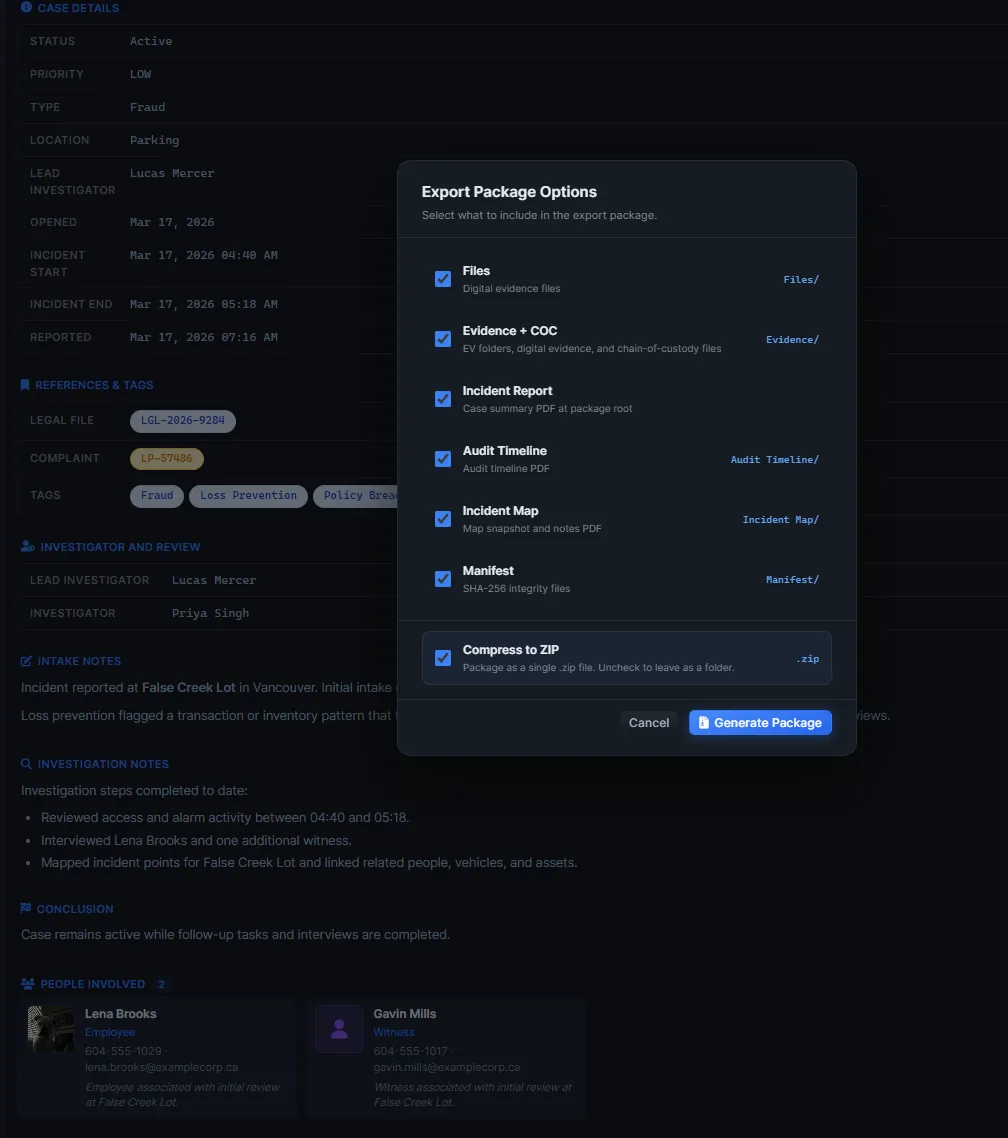
EMP features vary by tier. Core includes package exports. Standard adds Chain of Custody, Incident Maps and Audit Timeline; Professional adds Timeline Recon, Link Analysis, Global Heat Map and plan overlays. Package contents depend on selection; enable Manifest for checksums and the verifier.
Updated 2026-08-23. The highlighted column is EMP Intake WS.
These rows describe a basic, unmanaged spreadsheet-and-folder workflow. Microsoft 365 and shared-drive platforms can add version history, audit logs, retention, permissions, automation, and AI depending on configuration; none of that inherently provides intake hashing, preserved-original enforcement, or a portable cryptographic evidence manifest.
Where each one wins
Where EMP wins
- Anything that becomes part of a discovery production, regulator review, or accreditation visit.
- Cases where opposing counsel will scrutinize the chain of custody.
- Investigations with multiple evidence types that need to reconcile on one timeline.
- Incident maps, link analysis, heatmaps, timeline reconstruction, and advanced search in one place.
- Recurring caseloads, where the discipline compounds while spreadsheet workflows degrade over time.
Migration path: folders and spreadsheets to EMP
You do not have to redo old cases. Start with the next one:
- Import the existing folder into a new case. EMP accepts the files as they are.
- EMP hashes everything on intake, so each file gets a SHA-256 and a recorded intake time the moment it lands.
- Keep working as usual. Add evidence, build the timeline, and keep the spreadsheet for scratch notes and damages math.
- Export selected evidence and reports with Manifest enabled for file checksums and the browser verifier. Include entitled audit content where needed; recipients do not need EMP.
Where they win
- One-off ad-hoc cases that will never leave your office.
- Financial modeling: restitution, damages, fraud-loss calculation.
- Free-form scratch notes and brainstorming.
- Early triage and internal fact finding with no legal exposure.
- Your storage platform is already configured with version history, retention, and permissions that cover low-stakes work.
What EMP is not
- Not a managed cloud service. EMP is local-first and self-hosted.
- Not certified. NIST SP 800-86 is a design target, not a certification, and admissibility is the court's call.
- Not a forensic acquisition tool. EMP organizes and preserves what you already collected.
- Not a general spreadsheet or storage tool. EMP is purpose-built for evidence cases, with hashing and a verifiable export.
Competitor details here are drawn from public sources such as vendor websites and documentation, and can change. Verify current capabilities with the vendor. This comparison covers EMP Intake WS. Features vary by tier. Teams has a separate deployment model and pilot scope.
Frequently asked questions
Why pay for EMP when Excel and a shared folder already work?
For ad-hoc work they're fine. But in a basic, unmanaged setup nothing records a file's state when it lands in a way you can prove later. OS metadata exists but is mutable and easily lost, the original can be overwritten without a trace, and when someone asks you to prove the files are unchanged you have nothing to hand them. Platform versioning and audit logs help where configured, but they do not produce an intake hash, preserved-original enforcement, or a portable verifiable export. For anything that might end up in a deposition or an accreditation visit, that's the exact failure mode an evidence workstation exists to prevent.
Can I export from EMP back to Excel / PDF if I need to?
The manifest is JSON plus a sha256sum-compatible text file, Standard and Professional add Audit Timeline PDF and JSON exports; System Logs CSV is separate, originals are preserved in their native formats, and the reports are human-readable. The export is built for a recipient who has no EMP software. It isn't for lock-in.
What does EMP not do that my spreadsheet does?
EMP includes case notes and comments. Excel remains useful for formulas, financial models, damages calculations and flexible ad hoc tables.
How do I migrate without redoing historical cases?
You do not need to rebuild historical cases. Start with the next case that comes in; EMP accepts existing folders as intake and hashes them at the moment of import. Keep the spreadsheet for what it's good at.
See the difference for yourself
Try Workstation free for 14 days, with no credit card. For shared cases across PCs, discuss a Teams pilot.
About this comparison: it is based on publicly available materials as of August 2026, and products change. If anything here is out of date, email hello@falcrex.com and we will correct it. All third-party product and company names are trademarks of their respective owners. Falcrex Systems Inc is not affiliated with, sponsored by, or endorsed by any of them.