
Case management in a spreadsheet: why it breaks, what to use
A spreadsheet and shared storage can organize a case. Check whether your setup also preserves originals, records handling and gives recipients a way to verify the files.
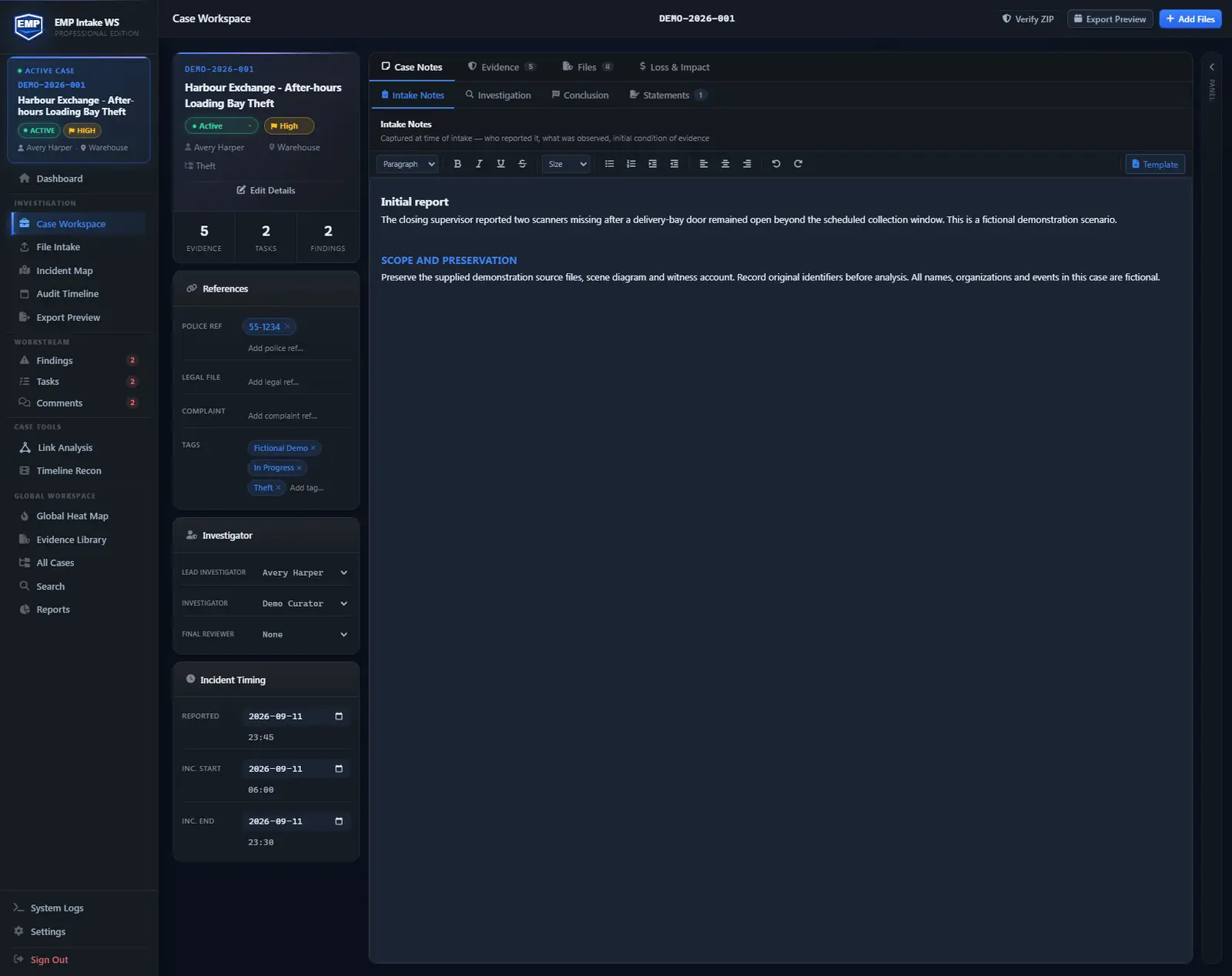
If you run investigations or security cases, there's a good chance your system of record is a spreadsheet and a shared drive. It is how almost everyone starts, and for a while it works. This guide is about the point where it stops working, and what to do about it, without pretending you need enterprise software to fix it.
Why teams start with a spreadsheet
When a team opens its first cases, a spreadsheet is the obvious tool. It's free, it's already on every machine, and everyone knows how to use it. A tab for open cases, a column for status, a shared drive for the files, and you're running. There is nothing wrong with that. A spreadsheet is a fine to-do list. The trouble starts the moment that spreadsheet and that shared folder are holding evidence, because evidence has requirements a to-do list doesn't.
Where it quietly breaks
The failures aren't loud. Nothing crashes, the spreadsheet keeps opening, and the files keep sitting in the folder. What breaks is your ability to prove what happened, and you usually find out at the worst possible time.
Custody needs a maintained record. A cell can say “collected by Dana on March 3.” A custody log can record transfers, but staff must enter them accurately and retain the history. Neither a spreadsheet nor EMP automatically observes every external copy or physical transfer.
File integrity needs a baseline. Open a file from the shared folder today. Can you prove it's the same file that was collected in March, byte for byte? Not from a spreadsheet. Re-saving, conversion or overwriting can change file contents. Renaming alone does not change a content hash. Without a hash of the original, “this is the file we collected” is a claim, not a fact.
Controls need configuration. Access restrictions, version history and retained hashes can reveal changes. Check who can alter those controls and how long their records remain available.
History has a scope. Excel can show workbook changes, and Microsoft 365 can audit file activity. Check configuration, retention and export options; neither automatically provides a complete evidence-handling record.
And the shared folder makes it worse. “Report_final_v2_REAL_use_this.docx.” Access that quietly sprawls until half the company can open the case. One accidental drag, and a folder of evidence is in the trash with no record it was ever there.
If you must use a spreadsheet, here is the minimum
You can make a spreadsheet system more defensible. It just takes discipline that never lets up:
- A locked custody column you fill in by hand on every single transfer, with who, when, and why.
- A hash column. Compute a SHA-256 hash of each original with a free tool, paste it in, and re-check it before every export. If the hash still matches, the file hasn't changed.
- A read-only originals folder no one is allowed to edit, with working copies kept somewhere else.
- A record of who has access to the folder, so you can say who could reach the case.
Do all of that consistently and you have something you could at least defend. The problem is the word consistently. Every step is manual, and the first busy week someone skips the hash or forgets the custody note is exactly the week the case you can't afford to lose is the one that breaks. Manual controls can work, but depend on consistent recording and verification.
What a purpose-built tool does instead
This is the gap a tool like EMP Intake is built to close, by doing automatically what the spreadsheet asks you to do by hand.
- Cases and evidence have structure from intake, so a file is an item attached to a case with its own record, not a row in a sheet.
- Every file gets a SHA-256 hash baseline on import, and EMP verifies it later and warns you if integrity has drifted before you export. You don't maintain a hash column; the tool does.
- On Standard and Professional, record custody transfers, receipt and disposition as they occur. EMP retains the entered events; staff still document handling outside the app.
- Material case actions are captured in an append-only audit trail.
- When you are done, EMP produces a selected export package; enable Manifest to include file checksums and a standalone verifier, so whoever receives it can check the files are intact without needing EMP at all.
- It is local-first. EMP copies imported files into its own managed storage and leaves your originals untouched, so bringing a case into EMP doesn't put the source at risk.
If you want the side-by-side version, the EMP vs spreadsheets and shared folders page lays it out row by row, and the chain of custody software guide goes deeper on what to look for.
What EMP does not do
Stating the limits is part of the point, because overselling an evidence tool is its own kind of risk. EMP makes your activity visible, structured, and auditable. It doesn't replace legal advice, your records-retention policy, or your agency's evidence rules. It is tamper-evident, which means it surfaces tampering, not tamper-proof, which would mean preventing it, and no software can promise that. Its integrity model is aligned with NIST SP 800-86, not certified against it. And it doesn't decide what is admissible. The court decides admissibility, not the tool. What EMP gives you is the ability to show your work.
Start with your next case
You don't have to abandon your spreadsheet overnight or re-enter years of history. Keep closed matters where they are, and open your next new case in a tool that keeps the custody trail and the hashes for you. See how EMP Intake handles a real case.
Can you keep a chain of custody in Excel?
Yes, with accurate entries, retained history and supporting controls. Record who handled each item and when; keep file hashes and originals separately. EMP combines those steps, but physical and off-app transfers still need to be recorded.
Is a shared drive safe for storing evidence?
It depends on its controls. Check access restrictions, version history, activity logs, backups, retention and retained intake hashes. Shared storage alone is not a complete evidence-handling workflow.
What actually goes wrong when you run cases in a spreadsheet?
Gaps arise when hashes, originals, custody entries or activity records are missing or cannot be linked to the disclosed files. Review the controls you actually use rather than assuming every spreadsheet setup has the same limitations.
How do I move off a spreadsheet without redoing old cases?
You do not have to migrate history all at once. Leave closed matters where they are, and open your next new case in a purpose-built tool so its custody trail and hashes are captured from the start. Backfill older active cases only as they come up.
If I am careful, do I still need a tool?
A documented manual process can work. A dedicated tool can reduce repeated work and make checks more consistent, but it does not replace accurate entries, trained staff or retention controls.
Keep reading or try EMP Intake
Put defensible chain-of-custody intake to work on your own matters.