
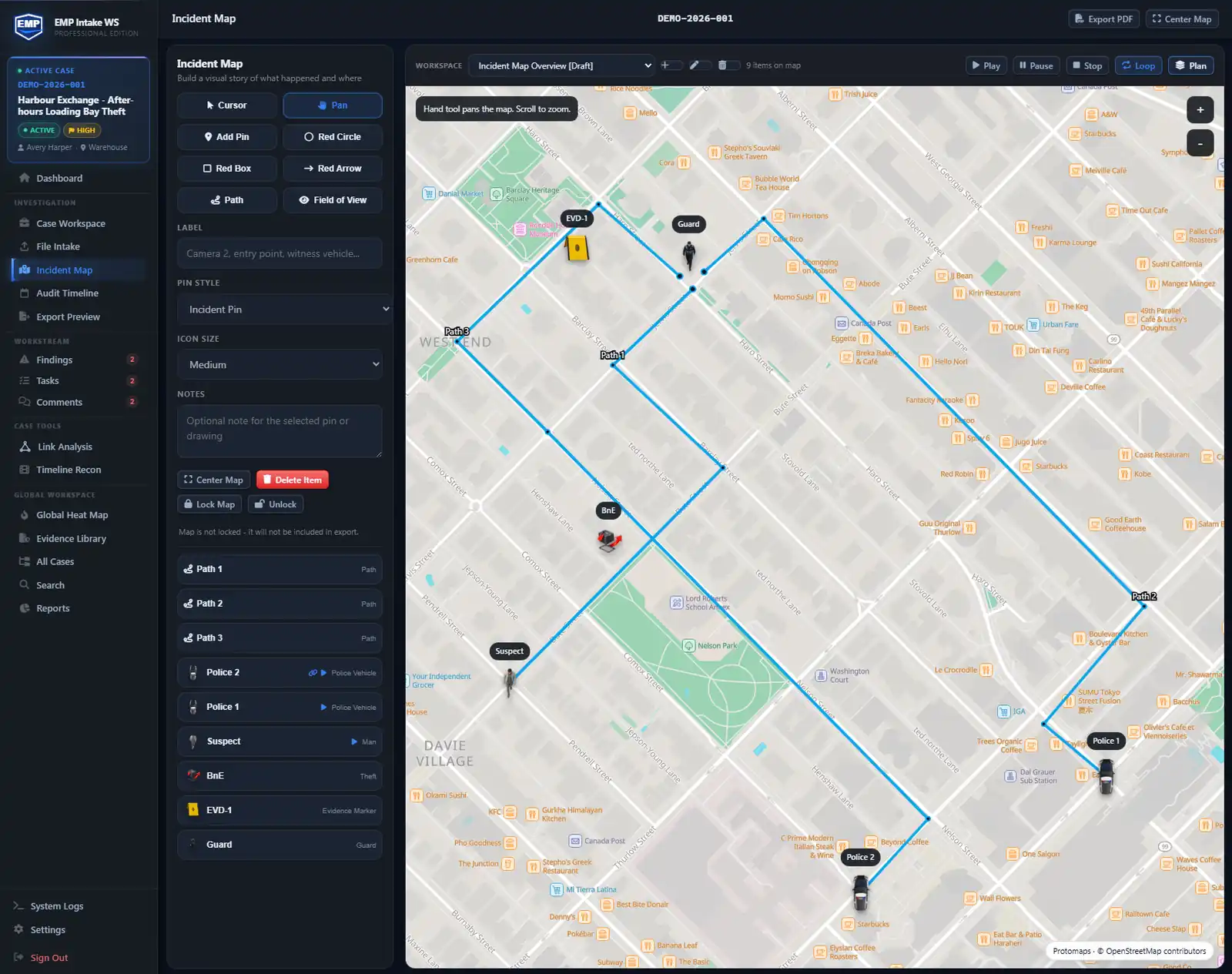
Pin cameras, witness positions, and recovered evidence on an incident map, then narrate the scene with circles, boxes, arrows, paths, and fields of view. EMP Intake WS loads OSM-derived Protomaps vector basemaps through a Falcrex controlled map delivery service using Cloudflare infrastructure when map views, Timeline Recon playback, or exports use online basemaps. Map requests carry standard connection information and the technical map-resource request needed to display the selected area, never evidence files, pins, or case content, though the approximate viewed area may be inferable from request patterns. The finished map travels inside the case export package as a PDF.
1. Pin the scene
Drop pins for cameras, response points, witness positions, and recovered evidence; each pin carries notes and can optionally link to supported records in the current case. Add circles, boxes, arrows, paths, and fields of view to mark the scene, plot a route, or scope an area. The map is part of the case workspace, so pins and shapes are preserved with the case instead of living in a loose annotation file.
2. Where the basemap comes from
EMP Intake WS loads OSM-derived Protomaps vector basemaps (Protomaps · © OpenStreetMap contributors, ODbL v1.0) through a Falcrex-controlled map delivery service using Cloudflare infrastructure when map views, Timeline Recon playback, or exports use online basemaps. Requests include standard connection information and the technical map-resource request needed to display the selected area. Request patterns may allow the approximate viewed area to be inferred. EMP does not send case numbers, filenames, evidence, pins, shapes, overlays, user identity, or license identifiers with map requests. Retrieved map resources may be cached locally on the workstation; this is not a guaranteed offline map pack or a shared case cache. Discuss offline requirements with us before deployment. The basemap is geographic. Professional also supports building overlays and interior-plan views using imported JPEG or PNG images.
3. Map and timeline in the same case
Incident Maps are included in Standard and Professional. Give linked icons movement paths and playback timing. Professional adds building overlays, interior-plan views and Timeline Recon: add a retained map clip and replay it beside camera video and imported logs on the Recon playhead. Editing the map does not automatically create or update log events. Path playback uses configured paths, delays and pace presets; it is a demonstrative reconstruction, not independent proof of measured speed or actual travel time.
4. Locked maps and the export package
Locking a map creates a retained PNG, validated by the application and hashed with SHA-256, and exports verify and reuse those retained bytes. Unlocking and relocking creates a new retained artifact; the earlier retained record is not silently rewritten. When selected, the eligible locked map and retained artifacts travel in the case package for review. Include the manifest to check their file hashes.